Drum Set - Drumming App
Beat Blend LabsMusic
3.82.40K Reviews
- Version
- 2.1.0
- Installs
- 10.00M
- Age Rating
- Everyone
Screenshots
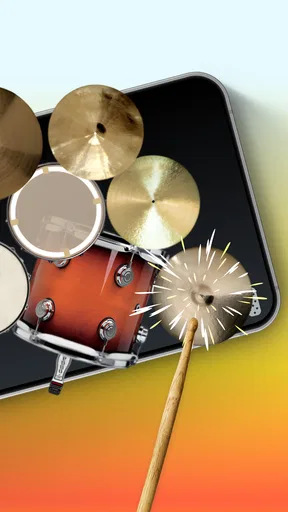
Our Review of Drum Set - Drumming App
 Analysis by Appyee
I like the idea of having a drum kit ready whenever a spare moment appears, and this music game makes that easy to try. Drum Set - Drumming App gives me a quick way to tap out rhythms without setting up physical drums or making the room loud. That convenience is the strongest reason I would keep it on my phone: it can turn a short break into a bit of hands-on rhythm practice, even if it is not a substitute for learning on a full instrument.
Getting Started: First Impressions
When I first opened the app, I was greeted with a sleek, intuitive interface that didn’t make me feel like I needed a degree in music theory to get started. The layout is pretty straightforward, and everything you need is just a tap away. So, whether you're a seasoned drummer or just starting out, you’ll feel right at home.
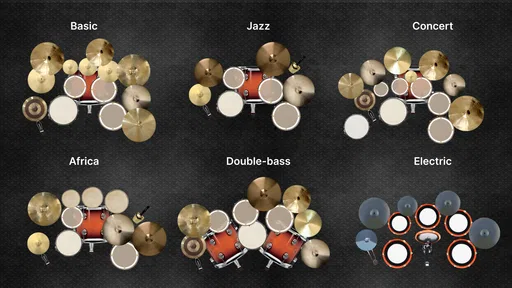
Setting up was a breeze. I just plugged in my headphones, and I was good to go. The app offers a variety of drum kits, each with its unique sound. From classic rock kits to jazzy vibes, there’s something for everyone. I found myself switching between kits just to see how different they all sounded, and trust me, it was a lot of fun.
Features That Make a Difference
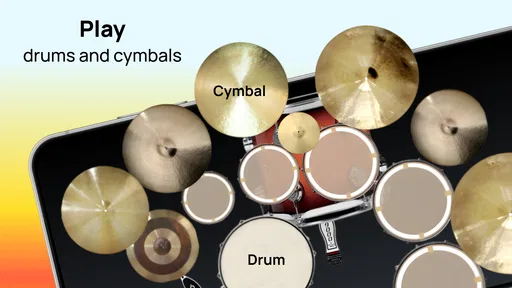
One feature I really appreciated was the ability to customize my own drum kit. You can swap out cymbals, change the snare sound, and even adjust the volume of each drum to suit your personal taste. It’s like having a customizable drum set right in your pocket.
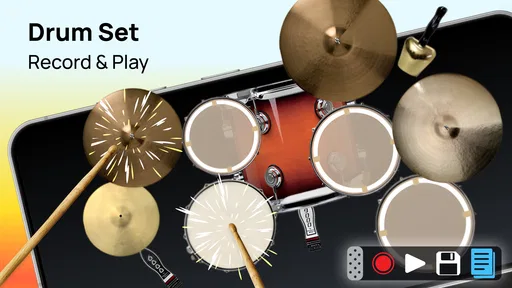
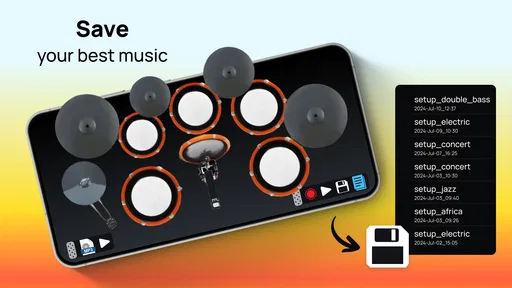
The app also includes a metronome and recording feature, which is a game-changer for practicing and tracking your progress. The metronome helps keep your timing spot-on, and being able to record means you can listen back and see where you might need to improve. Plus, sharing your tracks with friends is as easy as pie.
- Customizable drum kits
- Metronome for perfect timing
- Recording and sharing features
Playing Experience
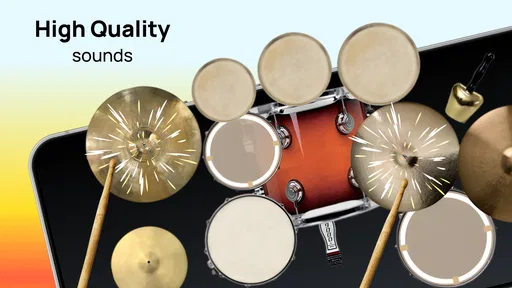
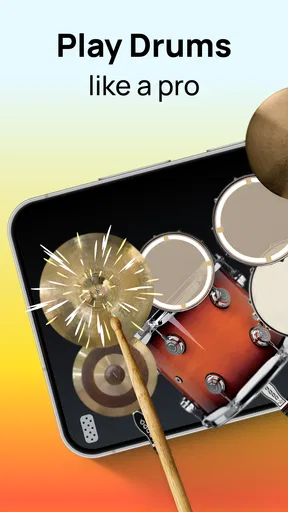
The touch response is fantastic. The app is super responsive, and the sound quality is surprisingly good for a mobile app. It almost feels like you're playing a real drum set, minus the bulk and noise. I spent a good couple of hours just tapping away, and it never got boring.
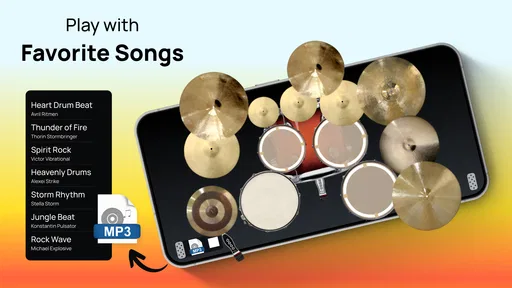
There's also a library of songs you can play along with. It's a great way to practice, especially if you're learning. I tried a few tracks, and it felt like I was playing with a band. It’s these little touches that make the app stand out.
Making Practice Fit Real Life
The most useful way I found to approach a phone drum kit is to give each session a small job. I might tap a simple beat while waiting for an appointment, then use the metronome later when I have a quieter moment to focus on consistency. That is more manageable than opening the app with no plan, tapping randomly for a few minutes, and expecting a lasting improvement.
Recording is especially helpful when I keep the goal modest. I can try the same short rhythm twice, listen back, and notice whether the second attempt feels steadier. A recording is not a formal assessment, but it gives me something more concrete than relying on memory. I would save this kind of check-in for patterns I can repeat comfortably rather than trying to judge a complicated performance on a touchscreen.
There is also a practical way to use the kit choices without turning practice into endless browsing. I would settle on one sound for a session, work on a beat, and change kits only when I specifically want to compare how a different snare or cymbal changes the feel. That keeps customization useful instead of letting it become a distraction from playing.
Who Will Get the Most From It
I see this as a good fit for curious beginners, casual rhythm fans, and players who want a quiet place to sketch an idea. Someone who has never touched a drum set can explore how a beat feels by placing taps across the kit, while a more experienced drummer can use the phone as a convenient scratchpad when a full instrument is unavailable. The song library can make practice feel less solitary, and the metronome gives a simple way to bring attention back to timing.
A realistic everyday use might be a short session after work: headphones on, one familiar kit selected, and a few minutes spent keeping a basic pattern steady before recording a take. If the recording sounds uneven, I can slow down the idea in my own hands by simplifying the pattern, then try again. That is a more useful routine than chasing speed immediately, and it makes the app easier to revisit because each session has a clear, achievable purpose.
It is less suitable for someone who needs a structured course, detailed lessons, or a complete path from beginner to confident drummer. The app’s approachable layout helps with starting, but the lack of more beginner guidance can leave a new player wondering what to practice next. I would pair it with lessons or a teacher if the aim is serious technique, posture, coordination, or reading music rather than casual exploration.
How It Compares With Other Ways to Play
Compared with a physical drum kit, a phone screen wins on convenience, portability, and keeping the volume down; it loses on the feel of striking real drumheads and the natural spacing of a full set. Compared with rhythm games that mainly ask players to follow prompts, this app’s appeal is the freedom to tap around a kit and experiment with beats. That freedom can feel more musical, but it also means the player has to supply some structure rather than relying on a game to direct every move.
A basic rhythm app or metronome may be a better choice when all I want is a steady pulse and no kit sounds or customization. On the other hand, for quick hands-on experimentation, a virtual drum set is more engaging than simply listening to a click. I would treat this as a companion for ideas and casual practice, not as a replacement for a real kit or a dedicated learning program.
Room for Improvement
While the app is pretty amazing, there are a few areas where it could improve. For instance, more tutorials for beginners would be great. Some users might find the learning curve a bit steep without guidance.
Additionally, while the sound quality is good, I noticed a slight delay when playing really fast. It’s not a dealbreaker, but something to keep in mind if you’re planning on drumming at breakneck speeds.
That timing limitation matters most when I try to use the screen like a high-speed performance instrument. For slower patterns and casual play, the touch setup is enjoyable; for very fast or tightly synchronized parts, even a small delay can make practice frustrating. I would test it with the kind of rhythm I actually want to play before relying on it for precise work, and use a physical kit or another practice setup when timing accuracy is essential.
There is a second trade-off in the freedom to customize: changing sounds can make exploration more fun, but it can also make comparisons less useful if I keep altering the kit between attempts. When I want to judge whether my timing has improved, I get a clearer result by keeping the same sound and pattern. When I want inspiration, switching sounds is worthwhile. Separating those two purposes helps the app feel less scattered.
Will It Stay Worth Opening?
The first-week appeal is obvious: there is little barrier between opening the app and making a sound, and trying different kits gives the first sessions a playful quality. The longer-term value depends more on whether I build a small routine around it. A short metronome exercise, a repeatable beat, or an occasional recording gives me a reason to return that lasts beyond the novelty of tapping every part of the kit.
Maintenance is light in the practical sense: there is no physical instrument to tune, store, or set up. The app is free to download, though it includes in-app purchases ranging from ninety-nine cents to ninety-nine dollars and ninety-nine cents per item. I would decide whether I need anything beyond the basic experience before spending; casual use may not call for extra purchases, while someone who wants to explore more might weigh those options against how regularly they play.
The game is made by Beat Blend Labs, has an Everyone age rating, and has been available since July 20, 2011. Its current version is 20240320, and it needs Android 7.0 or later. It has an average rating of 3.7 from around ninety-four thousand ratings, with about two and a half thousand written reviews and over ten million installs. Those figures suggest a well-established audience, but I would still judge it by whether the touch response and practice style suit my own device and habits.
Fatigue can set in if every session becomes aimless tapping or if I expect the app to teach skills it does not actively explain. I would keep sessions short, revisit a small number of patterns, and use the recording feature occasionally rather than turning every play into a test. That approach makes it easier to notice progress without making a casual music game feel like homework.
Final Thoughts
Overall, Drum Set - Drumming App is a fantastic tool for drummers of all levels. It’s user-friendly, feature-packed, and a lot of fun to play around with. Whether you’re looking to practice on the go or just want to have some fun, this app is worth checking out.
So, if you're ready to groove without the hassle of a full drum kit, give it a try. You might just find yourself lost in the rhythm, and who knows? You might even discover your new favorite hobby!
My lasting recommendation is a qualified one: I would keep it around if I enjoy making beats casually, want a quiet way to experiment, or need a quick rhythm companion between other activities. I would skip it if my main goal were guided instruction or reliable high-speed performance. Its best role is a low-effort musical sketchpad that can reward a small, repeatable habit; whether it earns permanent space comes down to whether I return to make rhythms, not just to browse sounds.
Privacy and Permissions
See what permissions an app requests and how it handles your data.
- Phone
- read phone status and identity
- Photos/Media/Files
- read the contents of your USB storage
- Storage
- read the contents of your USB storage
- Wi-Fi connection information
- view Wi-Fi connections
- Device ID & call information
- read phone status and identity
- Other
- view network connections, full network access, control vibration, prevent device from sleeping, Google Play license check
Verdict
Strengths of Drum Set - Drumming App
- Realistic drum sounds enhance experience.
- Customizable kits for personalized drumming.
- User-friendly interface for easy navigation.
- Practice mode helps improve skills.
- Offline mode available for practice anywhere.
Limitations of Drum Set - Drumming App
- Ads may interrupt gameplay frequently.
- Limited free content in basic version.
- No option for recording sessions.
- Some features require in-app purchases.
- Lacks advanced tutorials for beginners.
Other Releases by Beat Blend Labs
View All
Perfect Tuner
Music & Audio4.2

Flat Equalizer - Bass Booster
Music & Audio4.7
Similar Picks in This Category
View All
Tiles Hop Music & Ball Game
AMANOTES PTE. LTD.4.3

Magic Tiles 3™ - Piano Game
AMANOTES PTE. LTD.4.6

Real Piano
Bilkon3.7

Piano Game: Classic Music Song
Dream Tiles Piano Game Studio4.0

Smash Colors: Music Ball Rush
BADSNOWBALL HONGKONG LIMITED4.2

Piano Music Go-EDM Piano Games
Joy Journey Music Games4.5
Frequently Asked Questions
What features does the Drum Set - Drumming App offer?
The Drum Set - Drumming App offers a variety of features designed to enhance your drumming experience. These include a wide selection of drum kits, realistic sound effects, customizable layouts, and practice modes. Additionally, the app provides tutorials for beginners and allows users to record and share their performances with friends.
Is the Drum Set - Drumming App suitable for beginners?
Yes, the Drum Set - Drumming App is ideal for beginners. It includes easy-to-follow tutorials and practice exercises to help new drummers learn basic rhythms and techniques. The interface is user-friendly, making it simple for novices to navigate and start playing without feeling overwhelmed.
Can I use the Drum Set - Drumming App offline?
The Drum Set - Drumming App can be used offline for most of its core features. You can play with the available drum kits and record your sessions without an internet connection. However, some features, such as downloading new kits or accessing online tutorials, may require internet access.
Does the Drum Set - Drumming App allow for customization?
Absolutely, the Drum Set - Drumming App offers extensive customization options. Users can modify the layout of the drum kit, change the sounds of individual drums, and adjust the sensitivity settings to match their playing style. This flexibility allows for a personalized drumming experience tailored to each user's preferences.
Is the Drum Set - Drumming App compatible with external devices?
Yes, the Drum Set - Drumming App is compatible with various external devices. You can connect MIDI controllers, headphones, or external speakers to enhance your playing experience. This compatibility ensures that you can practice silently or share your music with others using high-quality audio outputs.
Play our best games!


